可以部署到 cloudflare 的 wokers,自定义变量 phone 和 wxpusherAppToken、wxpusherUIDs 或者直接在源码修改就行
实现推送到微信
可以绑定一个域名实现 cdn 加速,把网址转换成二维码,打印即可
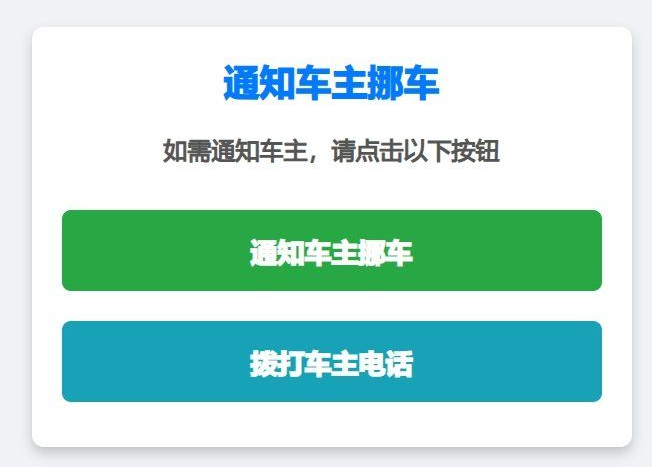
也可以把第二个 button 注释掉,只保留微信通知


复制源码有问题的就下载源码吧
html 代码插入有 BUG,会自动过滤掉按钮代码,复制以下替换下即可
<button class=”notify-btn” onclick=”notifyOwner()”> 通知车主挪车 </button>
<button class=”call-btn” onclick=”callOwner()”>拨打车主电话 </button>
addEventListener(‘fetch’, event => {
event.respondWith(handleRequest(event.request))
})
async function handleRequest(request) {
const phone = ‘1xxxxxxxxxx’ // 车主的手机号
const wxpusherAppToken = ‘AT_xxxxxxxxxxxxxxxxxxxxxxxxxxxxxxxxx’ // Wxpusher APP Token
const wxpusherUIDs = [‘UID_xxxxxxxxxxxxxxxxxxxxxxxxxxxxxxxxx’] // 车主的 UIDs , ‘UID_d0pycYubbK6d766GNDo5deknw4i4’
const htmlContent = `
通知车主挪车
代码:https://yundzl.lanzn.com/igow836isroh
通知车主挪车
如需通知车主,请点击以下按钮通知车主挪车拨打车主电话
    <script>
      // 调用 Wxpusher API 来发送挪车通知
      function notifyOwner() {
        fetch("https://wxpusher.zjiecode.com/api/send/message", {
          method: "POST",
          headers: {"Content-Type": "application/json"},
          body: JSON.stringify({appToken: "${wxpusherAppToken}",
            content: "您好,有人需要您挪车,请及时处理。",
            contentType: 1,
            uids: ${JSON.stringify(wxpusherUIDs)}
          })
        })
        .then(response => response.json())
        .then(data => {if (data.code === 1000) {alert("通知已发送!");
          } else {alert("通知发送失败,请稍后重试。");
          }
        })
        .catch(error => {console.error("Error sending notification:", error);
          alert("通知发送出错,请检查网络连接。");
        });
      }

      // 拨打车主电话
      function callOwner() {window.location.href = "tel:${phone}";
      }
    </script>
  </body>
</html>
`
return new Response(htmlContent, {
headers: {‘Content-Type’: ‘text/html;charset=UTF-8’},
})
}